


Your printer. Every setting. One interface.
Athena II's browser-based WebUI puts printer controls, jobs, resin profiles, calibration, and support in one place. Open it in a browser on your local network and tune your workflow as you print.
One place to run the printer
Use everyday controls quickly, then open the details when a print needs tuning.

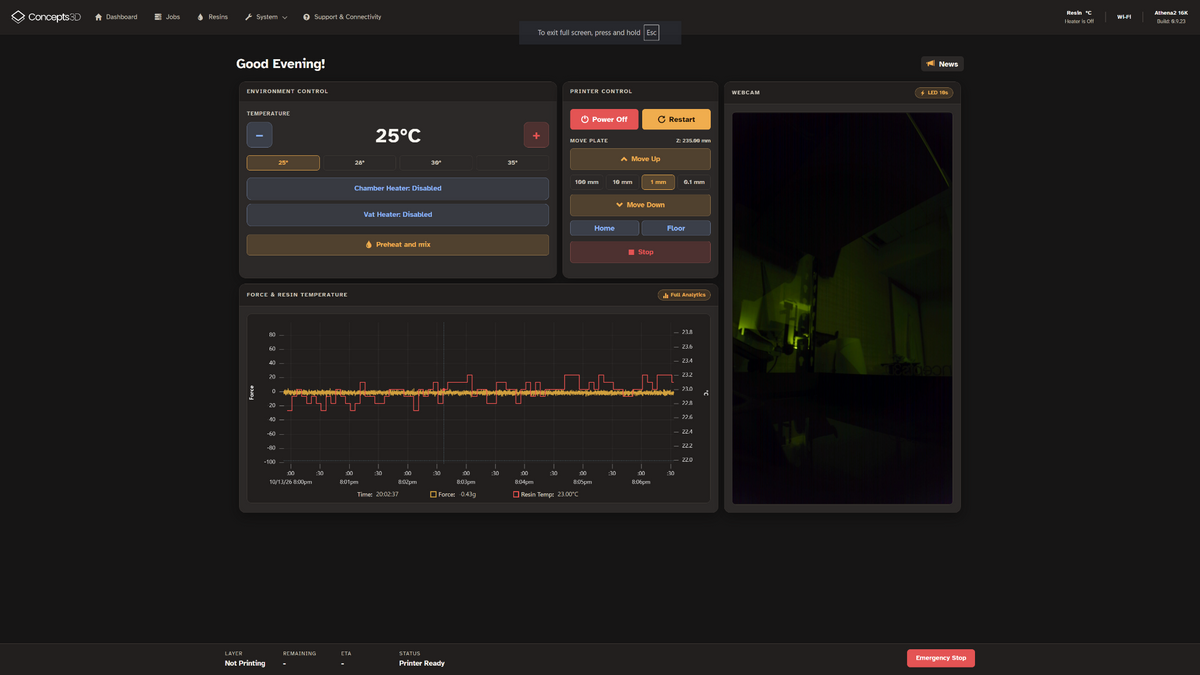
Printer dashboard
Start and monitor jobs, see printer state, and reach the settings you use most.

Jobs and files
Upload files, prepare a job, and review the print queue from your browser.

Material control
Choose a starting profile, calibrate exposure, and edit resin settings.
Explore the Athena WebUI
See how Athena II brings jobs, calibration, resin settings and print analytics together in one interface.


Swipe or use the arrows to browse. Select a screenshot to enlarge.
Support and connectivity
Submit a support request from the WebUI with the details of your issue. The form explains when printer configuration and logs are sent for troubleshooting and offers optional AI-assisted analysis. Cloud connectivity can pair Athena Mobile and support connected services. Software update controls are available in the printer interface.
More of the workflow
Use the features that fit your Athena II setup.
Camera and timelapse
With the optional camera and supported setup, view the print and capture timelapse footage.
Athena Mobile
Pair your phone through the printer's connectivity options for remote monitoring and controls.
Personal help
Contact Concepts 3D through the WebUI, the Help Center, Discord, or email when you need assistance.